Containerspaces
Fully managed Kubernetes clusters that can span multiple sites over Connected Cloudspaces
Containerspaces
In short: Containerspaces is whitesky’s managed Kubernetes service providing production-ready clusters with automated Rancher deployment, multi-site Kubernetes over Connected Cloudspaces, and seamless integration with VMs, storage, and billing.
Containerspaces deliver fully managed, production-ready Kubernetes clusters that can span multiple sites over Connected Cloudspaces. Designed for flexibility and scale, they support automated deployment, management, and scaling of containerized workloads. Seamlessly integrated into the whitesky ecosystem, containerspaces connect with your virtual machines, storage, networking, and billing — giving you a unified cloud experience for both traditional and cloud-native applications.
How multi-site geo-redundancy works
Geo-redundancy in containerspaces is not a separate product — it is achieved through the platform’s Connected Cloudspaces feature. The mechanism is deliberately simple and built on capabilities that already exist in the platform:
A cloudspace in each location. A Kubernetes cluster’s nodes run as virtual machines inside a cloudspace, and a cloudspace is bound to a single cloud location. To span locations, you provision a cloudspace in each participating site.
A routable cross-site private network. Connecting those cloudspaces (Connected Cloudspaces) establishes automated, encrypted VPN tunnels between them. The result is a single routable Layer 3 private network that spans every site, so a node in one location can reach a node in another over private addressing — no public exposure required.
Kubernetes deployed across the connected network. Because the cluster nodes share one routable private network, Kubernetes treats geographically separate VMs as members of the same cluster (or as paired clusters that replicate across sites). Pods, services, and the control plane communicate across locations as if they were local.
- Surviving the loss of a site. With nodes distributed across locations, the failure of an entire site removes only the nodes hosted there. Workloads are rescheduled onto the surviving nodes in the other location(s), and the cluster keeps serving traffic. Stateful data has to survive the site loss too: that replication is done inside the Kubernetes cluster, not by the platform, for example with a database cluster whose members are spread across the sites.
This is why the redundancy model is “built in”: it reuses the same cloudspace networking that every whitesky deployment already has, rather than depending on a bolt-on overlay or an external mesh.
Managed Kubernetes Features
Automated Rancher Deployment
- Fully automated Rancher deployment in cloudspaces
- Pre-configured with best practices and security settings
- Integrated management through the whitesky portal
- Consistent deployment across all cloud locations
Multi-Site Architecture
- Multi cloud location Kubernetes via Connected Cloudspaces
- Geo-redundancy for high availability: stateful data is replicated inside the cluster, the platform does not replicate storage between sites
- Cross-site networking with automated VPN connections
- Unified cluster management across distributed locations
Automated Scaling and Extension
- Automated extension of cluster capacity based on demand
- Dynamic node provisioning using whitesky virtual machines
- Resource optimization with intelligent workload placement
- Cost-effective scaling with capacity-based or pay-per-use pricing
Network Integration
Seamless Load Balancing
- Integrated load balancers via cloudspace ingress
- Layer 7 load balancing with SSL termination
- Automatic service discovery and routing
- Let’s Encrypt integration for automatic SSL certificates
Advanced Networking
- Native integration with cloudspace networking
- Secure communication between Kubernetes services and VMs
- Network policies for micro-segmentation
- Multi-tenant networking with complete isolation
Storage Integration
Automated CSI Driver Installation
- CSI driver for software defined storage automatically installed
- Direct attached NVMe for Kubernetes master node and Rancher data disks; NVMe persistent volumes for workloads (*)
- Persistent volume management with dynamic provisioning
- VM-level backup of the cluster node VMs with whitesky backup (not Kubernetes-aware)
- Velero supported for Kubernetes-aware backup
Storage Classes
- Multiple storage classes for different performance requirements
- Automatic volume expansion as applications grow (*)
- Snapshot support for data protection and testing (*)
Platform Integration
Unified Management
- Single portal for managing both VMs and containers
- Consistent security model across all platform components
- Integrated monitoring and logging across the entire stack
- Unified billing for simplified cost management
Developer Experience
- Standard Kubernetes APIs for familiar development workflows
- kubectl access for command-line management
- Helm chart support for application deployment
Key Benefits
Simplified Operations
- No cluster management overhead - we handle the infrastructure
- Automatic updates and security patches
- 24/7 monitoring and support
- Backup of the cluster node VMs with whitesky backup (VM-level, not Kubernetes-aware), plus Velero for Kubernetes-aware backup
Enterprise Security
- Network isolation with cloudspace integration
- RBAC integration with whitesky identity management
- Security scanning and compliance monitoring (*)
- Encrypted communication between all components
Use Cases
Cloud-Native Applications
- Microservices architecture with service mesh integration
- API gateways and backend services
- Event-driven applications with message queues
- Real-time applications with WebSocket support
DevOps and CI/CD
- Continuous integration pipelines
- Automated testing environments
- Blue-green deployments for zero-downtime updates
- GitOps workflows with automated deployment
Data Processing
- Batch processing workloads
- Stream processing with Apache Kafka
- Machine learning model training and inference
- Data analytics pipelines
Legacy Application Modernization
- Containerization of existing applications
- Gradual migration from VMs to containers
- Hybrid deployments with both VMs and containers
- Service integration across different platforms
Getting Started
Quick Deployment
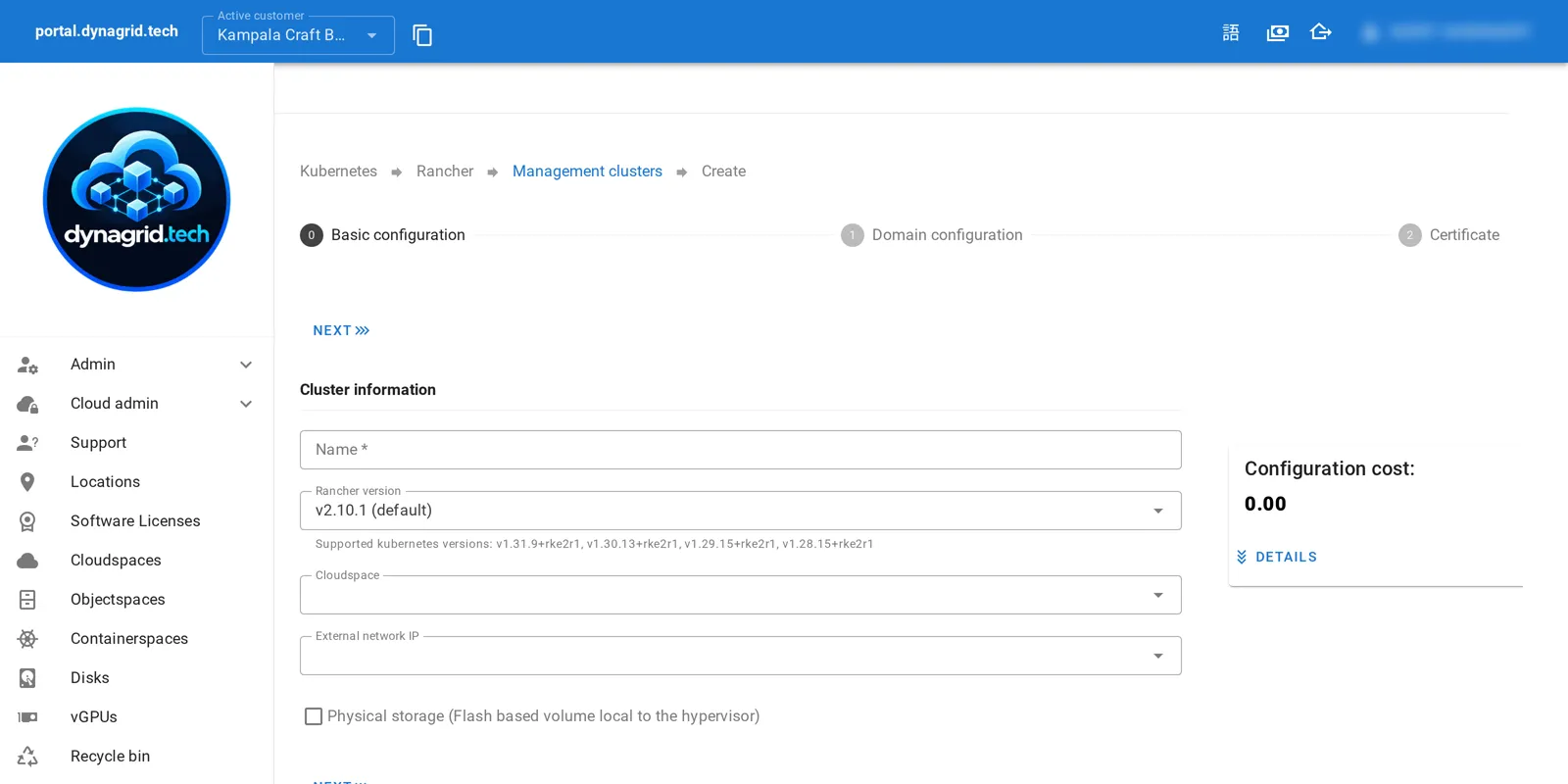
- Select your cloudspace for Kubernetes deployment
- Choose cluster configuration (size, location, features)
- Automated provisioning begins immediately
- Access your cluster via kubectl or the web interface
Integration Options
- Connect to existing VMs for hybrid architectures
- Integrate with objectspaces for persistent storage
- Set up load balancers for external access
- Configure monitoring and alerting
Why Choose Containerspaces?
Our Kubernetes as a Service solution eliminates the complexity of cluster management while providing enterprise-grade features and seamless integration with your existing infrastructure. Focus on building applications while we handle the underlying Kubernetes infrastructure.
With multi-site capabilities and deep platform integration, containerspaces provide the foundation for modern, scalable, and resilient containerized applications.
(*) Roadmap item