Cloudspaces
Fully isolated virtual environments where you deploy and manage virtual machines, vGPUs, networking, load balancers, reverse proxies, backups, DNS, SSL certificates, vTPM, secure boot and storage
Cloudspaces
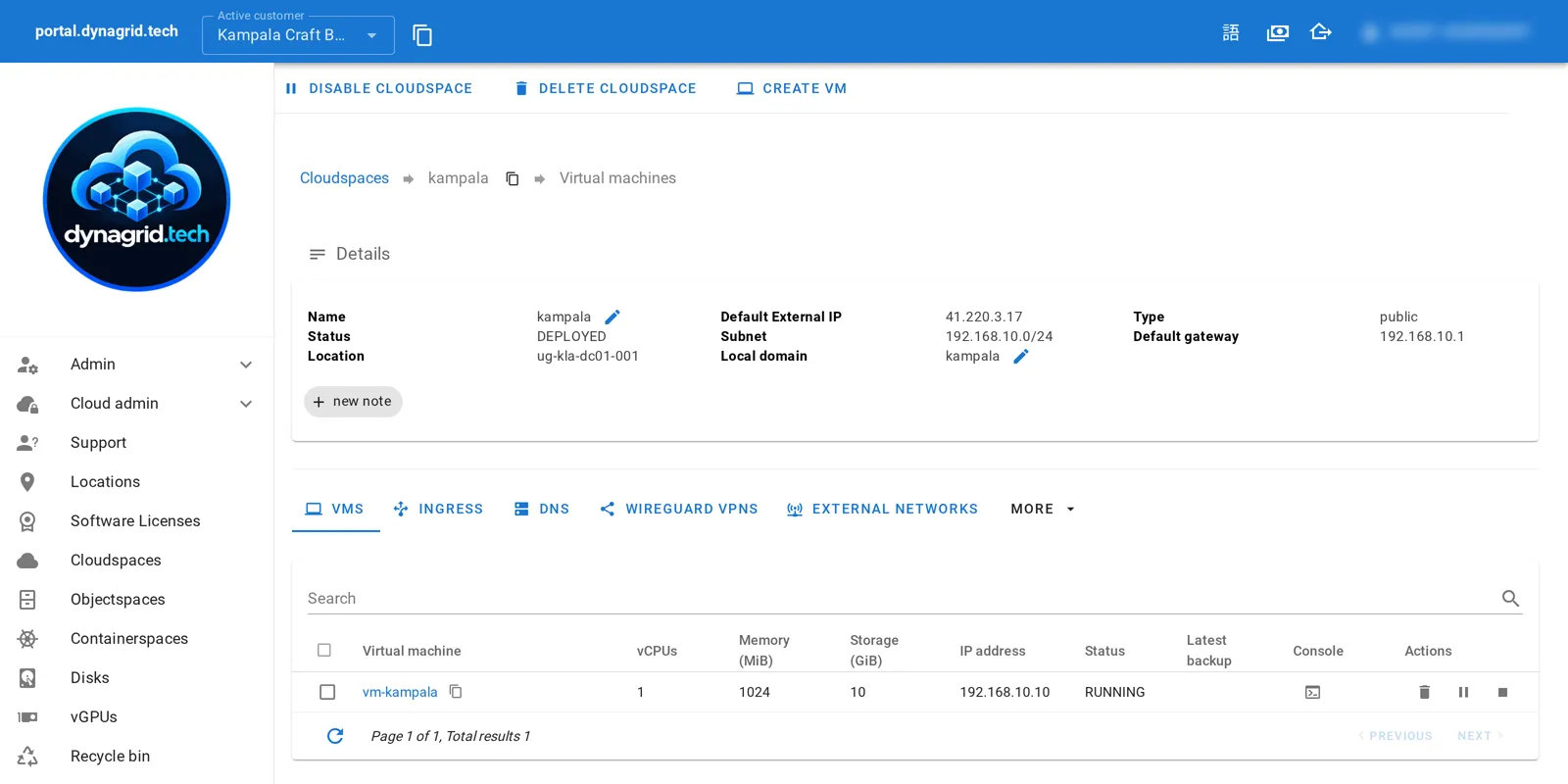
In short: A cloudspace is a fully isolated virtual environment where you deploy and manage virtual machines, networking, storage, and security. Each cloudspace is a customer-owned layer 2 network with a virtual firewall, supporting VMs, vGPUs, load balancers, backups, and both software-defined and direct NVMe storage.
Cloudspaces are fully isolated virtual environments that provide complete control over your virtual infrastructure. Each cloudspace is a customer-owned layer 2 network with a virtual firewall, where you can deploy and manage virtual machines, vGPUs, networking, load balancers, reverse proxies, backups, DNS, SSL certificates, vTPM, secure boot, and storage. Designed for flexibility, cloudspaces support anti-affinity policies and let you attach both software-defined and direct NVMe storage — giving you the performance and control you need, out of the box.
Key Features
- Bound to a cloud location for optimal performance and compliance
- Isolated layer 2 network ensuring complete security separation
- Flexible firewall options to meet your specific networking needs
Firewall Options
Built-in Firewall Features
- DHCP server for automatic IP assignment
- Cloud init for automated VM configuration
- DNAT port forwards to a single VM for external access
- Advanced routing capabilities
- VPN access to cloudspace for secure remote connectivity
- Automated VPNs between cloudspaces (Connected Cloudspaces)
Custom Firewall Support
Any virtualized firewall deployed in a virtual machine can act as the firewall for a cloudspace, giving you complete flexibility in your security architecture.
Network Connectivity
- Support for 0 or more external networks (internet, customer network, etc.)
- Granular control over network access and routing
Ingress and Load Balancing
Server Pools
Organize your services with intelligent server pool management.
Advanced Load Balancing
The virtual firewall of every cloudspace includes a built-in Traefik that distributes traffic over a server pool:
- Layer 7 Load Balancing (HTTP/HTTPS):
- Reverse proxies with SSL offloading
- Let’s Encrypt support for automatic SSL certificate management
- Layer 4 Load Balancing (TCP/UDP):
- TCP load balancers with SSL offloading or pass-through
- UDP load balancers for specialized applications
For direct access to a single machine, a DNAT port forward sends a TCP or UDP port straight to one specific virtual machine.
Virtual Machines
Deployment Options
Virtual machines are bound to a cloudspace and can be created through multiple methods:
Creation Methods
- Predefined images for quick deployment
- Install from ISO image for custom installations
- Clone from a snapshot for rapid scaling
Import Options
- VMware, Veeam and Acronis recovery media and backup imports
- whitesky backup system integration
Storage Solutions
Software Defined Storage
- vDisks based on integrated whitesky software defined storage (not Ceph!)
- Optional NVMe local cache for enhanced performance
- Automated vDisk snapshots every hour with configurable retention
- Direct attached NVMe for high-demanding IO workloads
- CD-ROM images for installation and maintenance
- Integrated backup to S3 storage for data protection
Advanced Features
GPU Support
- vGPU support with both virtualized and dedicated GPU options, where the cloud location offers GPUs (configured by the Cloud Enabler in Meneja)
- Perfect for AI/ML workloads and graphics-intensive applications
Performance Optimization
- CPU pinning for consistent performance
- Custom CPU topologies for specialized workloads
- Anti-affinity groups to ensure high availability
Networking Capabilities
- Default cloudspace network interface (VMs never reachable from outside by default)
- Extra interfaces to other cloudspaces for multi-tier architectures
- Extra interfaces to external networks for hybrid connectivity
Management and Monitoring
- Comprehensive audits for compliance and security
- Dynamic sizing for memory, CPU and vDisks
- Performance stats and spending history for optimization
- Microsoft software licensing overview for compliance management
Automation and Integration
- Cloud init for virtual machine initialization
- Cloud init templates for initializing additional software
- QEMU agent automation for file management and program execution
- VM Template creation for standardized deployments
Migration and Backup
- Import/export via S3 bucket for data portability
- VM copy (whitesky to whitesky) via CLI for easy replication
- Nearly online migration from most platforms using third-party replication (Mobiti, RackWare)
- Backup/restore via whitesky Backup for comprehensive data protection
Why Choose Our IaaS?
Our Infrastructure as a Service solution provides enterprise-grade virtualization with the flexibility and control you need to build robust, scalable applications while maintaining complete sovereignty over your data and infrastructure.
Whether you’re migrating from legacy systems or building new cloud-native applications, our IaaS platform provides the foundation you need to succeed.